Using The Web Site
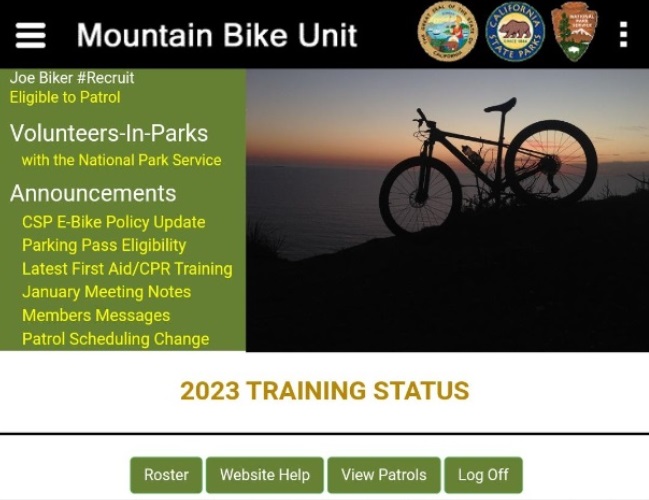
This guide provides instructions for MBU "recruits-in-training" in the use of the organization website. Until the training is complete, access is limited to monitoring training progress and to sign up for "ride-along" patrols.
| How To Log In |
| Training Status |
| How to View and Join a Patrol |
| MBU Roster |
| MBU Manual |
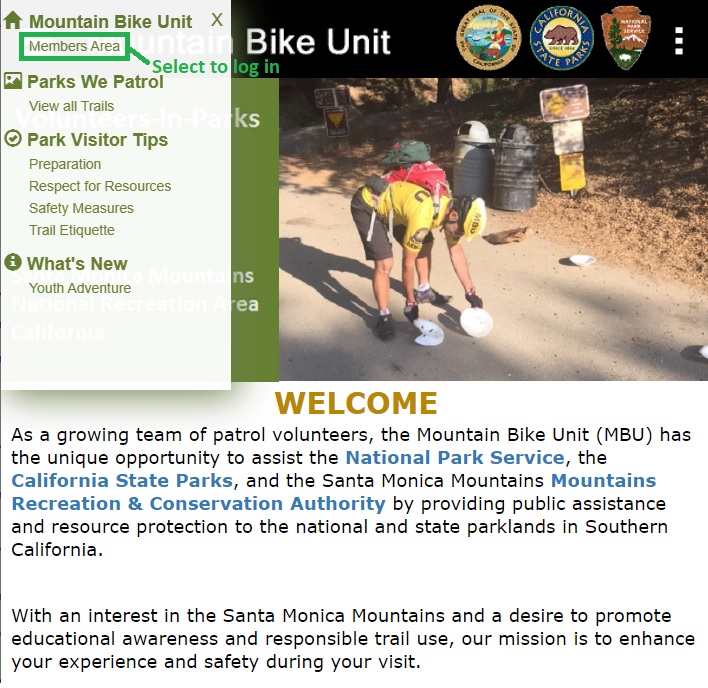
The MBU web site contains a members-only area. To log into this restricted section, point your browser to the website homepage at https://mountainbikeunit.com and click on the right-menu link "Members Area".
You can also access the login page directly at https://mountainbikeunit.com/Login.php.
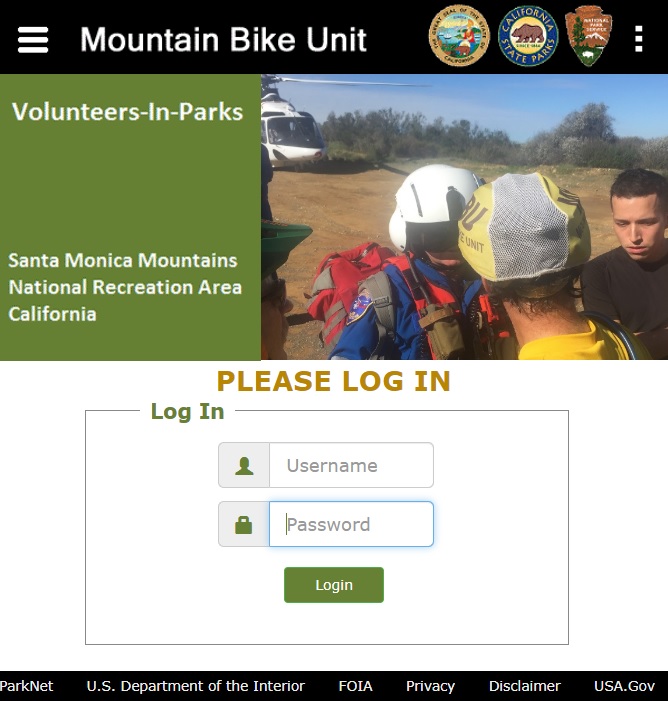
Your username is your last name followed by the first letter of your first name. For example, Terry Harman's username would be harmant. Refer to the MBU training coordinator for your initial password. You will be using this password for the duration of the training period.
After logging in, the Training Status page is displayed. Here you can monitor your training progress.
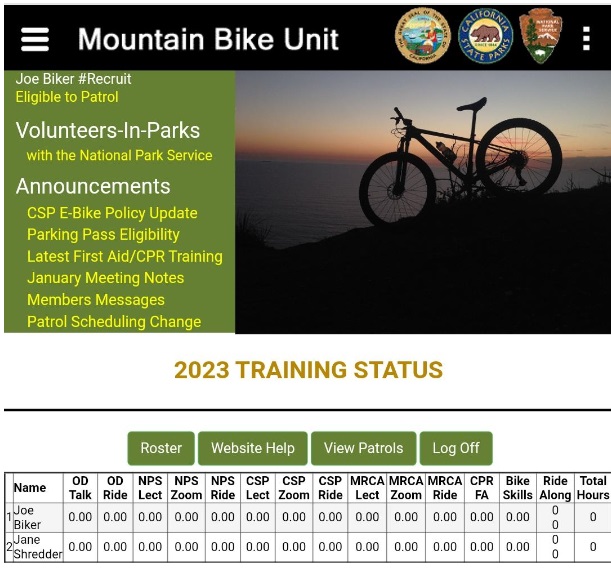
Your Training Milestones:
| Task | Description |
| OD Talk | Orientation Day Presentation (Optional) |
| OD Ride | Orientation Day Bike Ride (Optional) |
| NPS Lect | National Park Service Training Lecture |
| NPS Zoom | National Park Service Training Zoom Call |
| NPS Ride | National Park Service Training Day Bike Ride |
| CSP Lect | California State Park Training Lecture |
| CSP Zoom | California State Park Training Zoom Call |
| CSP Ride | California State Park Training Day Bike Ride |
| MRCA Lect | MRCA Training Lecture |
| MRCA Zoom | MRCA Zoom Call |
| MRCA Ride | MRCA Ride |
| CPR/FA | CPR/First Aid Certification |
| Bike Skills | Basic Bicycle Skills Demonstration |
| Ride Along | Ride-along Patrols between Training Sessions |
Click on the "View Patrols" button to see the patrols scheduled.
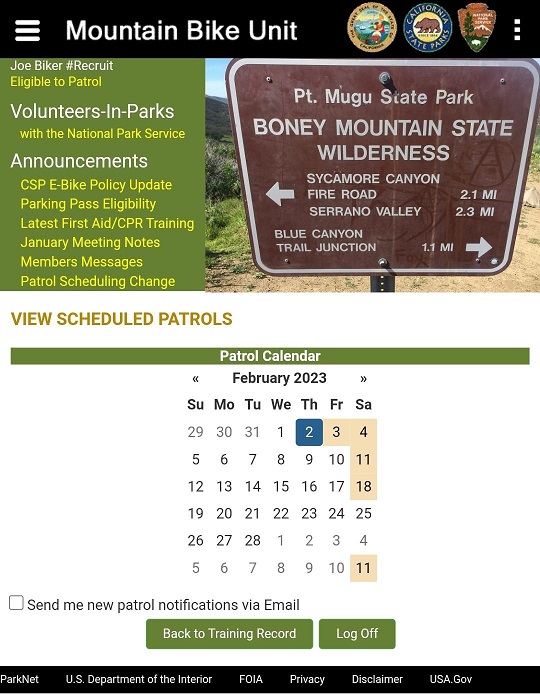
Dates that have scheduled patrols are indicated by a tan-shaded background. Click on one of these dates to view the scheduled patrols.
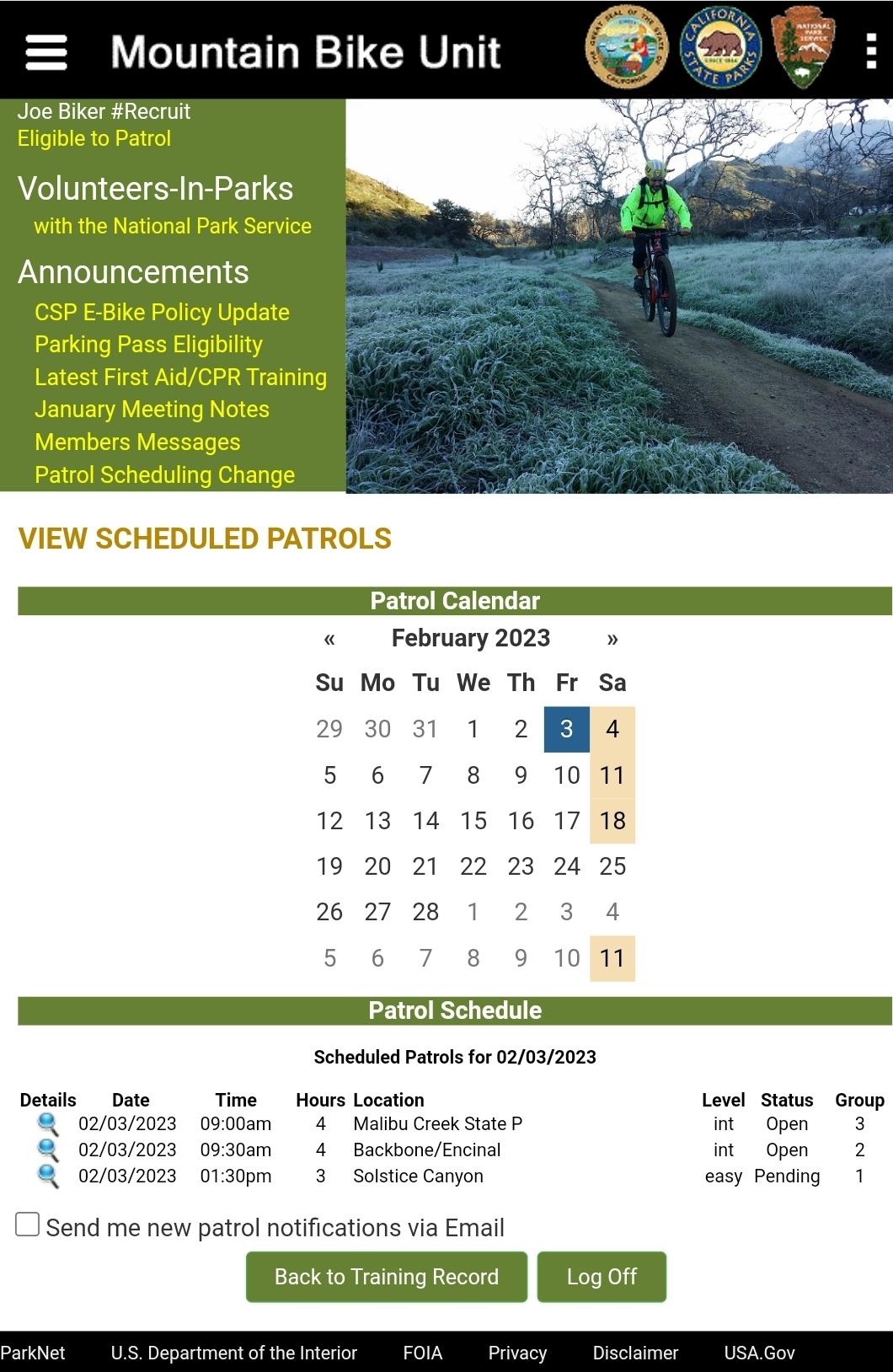
Click on the magnifying glass (search) icon to view details.
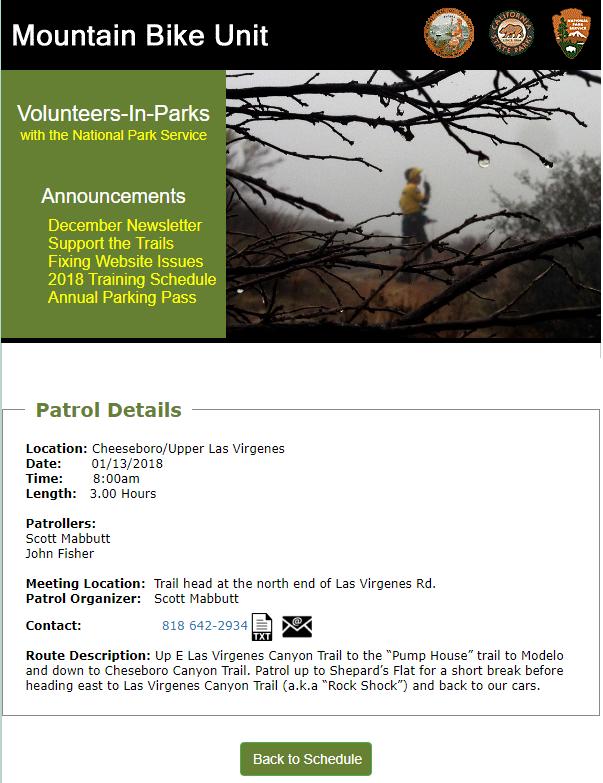
You must contact the Patrol Organizer before the scheduled patrol time if you would like to ride along with the MBU patrollers.
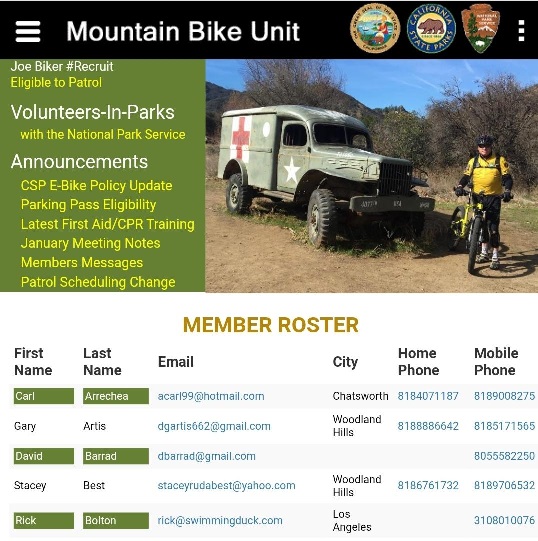
If you are using your mobile device, click on the phone number, text icon, or email icon to contact the patrol organizer. If you are using a stationary desktop/laptop computer, the patrol organizer contact information is available in the membership roster.
Click on the "Roster" button to get contact information for MBU members.
Click on the "Website Help" button to view this Guide.